

Skip to content

Keep client feedback with the version it refers to.

Develop an agreed interior direction into visual options and review the client’s response to the version you share. Use that feedback to brief the next revision, then bring the options and your reasoning into a recommendation.
Explore the development specialists

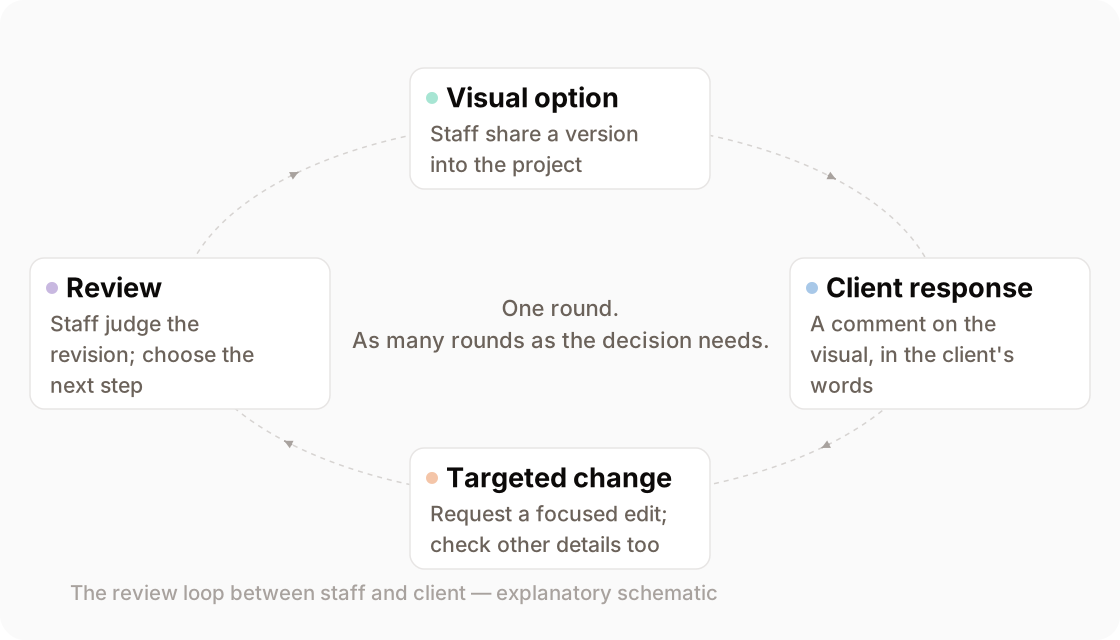
The collaboration loop — professional to visual option to client comment to targeted revision to review — drawn as a closing loop
The collaboration loop — professional → visual option → client comment → targeted revision → review — drawn as a closing loop. Explanatory schematic.
the starting state

Where this starts

Start with a direction you want to develop, whether it came from earlier Studio work or your existing project.

Identify the question for this review: interpreting a drawing, exploring a mood, revising an element or preparing a presentation. Choose the relevant specialist and keep the source material available to check the result.

prepare and review

Request a focused revision

Name the change you want and review the whole result. This paint illustration explains a possible revision; it does not prove that other details stay unchanged.
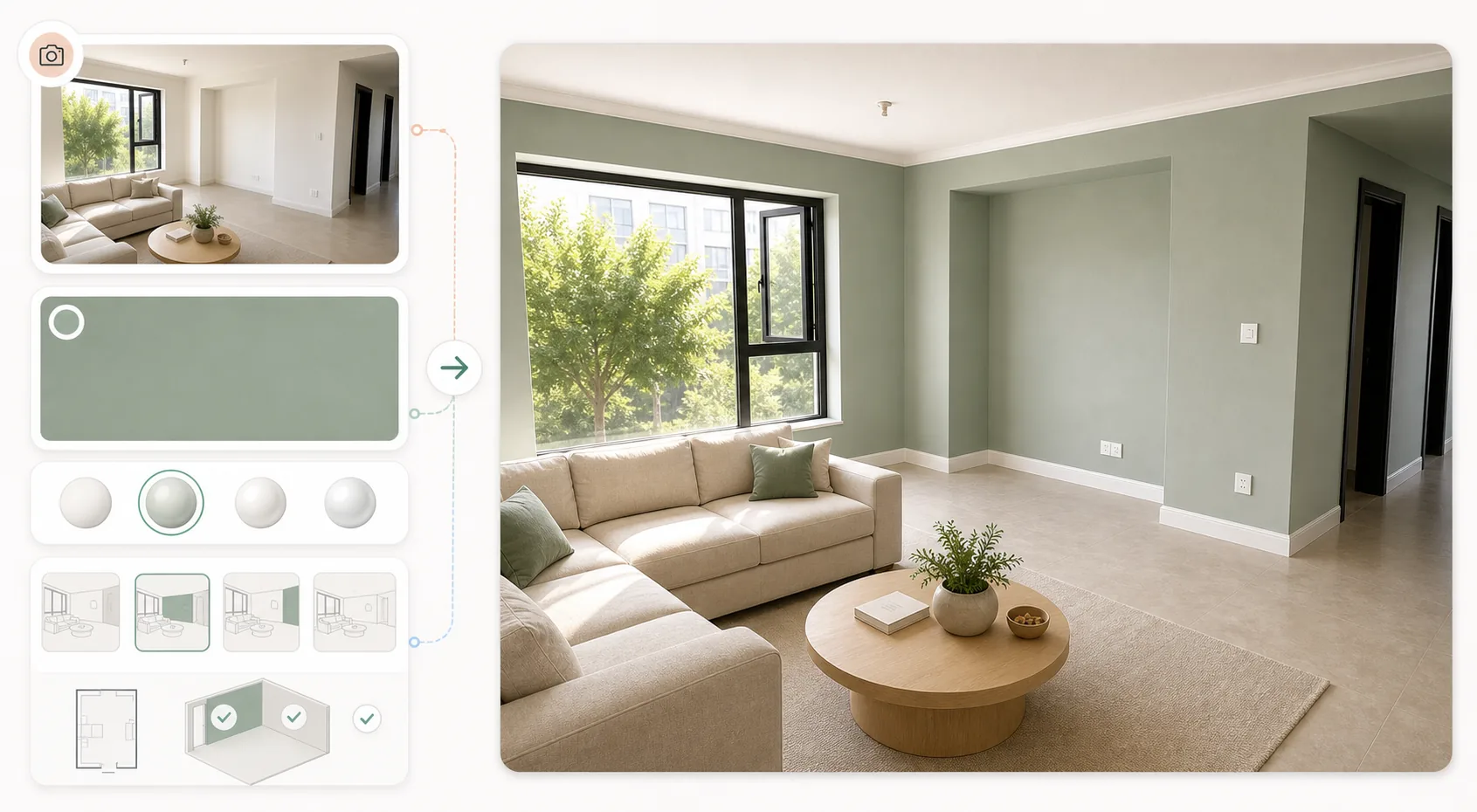
Illustration of a room photo, paint reference and possible painted room
Illustration of a room photo, paint reference and possible painted room. A verified worked input/output pair is not published yet.
  • The current visual and the source material needed to check it.
  • The requested change in words or markup, including what should remain.
The visual task
Develop a revised option in response to a focused instruction; check for unintended changes.
What it is good enough for
Good enough to show a client, decide a direction, and choose between options; not accurate enough to approve a finish, match a colour, or build from.
Prepare and check
Compare the revised image with its source, including features outside the requested change.
Before supplying material
Review the Privacy Policy and Terms of Service linked in the footer, and confirm the handling requirements of your project.
Supported inputs
Pending — Contact us before preparing files for a demo. Supported formats and size limits still need confirmation.
Access and cost
Pending — Review Pricing, then contact us to confirm access and any charges for the task you want to try.
the client's part

The client responds

Share the version you want discussed. The client responds to that visual; your team interprets the feedback and briefs the next task.

See collaboration in the workspace

Keep the comment with the version it concerns so the team has a clear starting point for review. Confirm which feedback should become an instruction before requesting a change. Client access and account requirements need confirmation.

A verified example of a client response inside a project is not published yet.

the deliverable

Present the options and your recommendation.

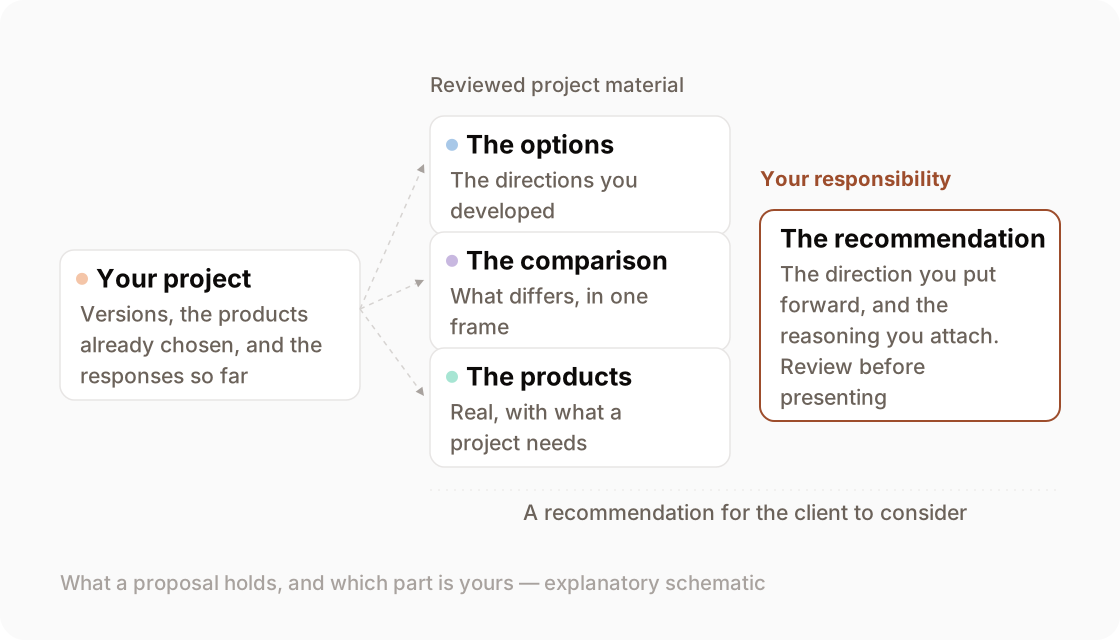
Bring together the reviewed visuals, relevant product information and the reasons for your recommendation. The proposal supports a decision; it does not guarantee one.
See how proposals fit the workspace

Schematic of reviewed options, product information and professional reasoning in a proposal
A guide to proposal content. An actual completed proposal is not published yet.
the mechanism

Developing the direction

Choose the specialist for the question: interpret a drawing, explore lighting, request a revision or prepare a presentation treatment.

Drawing to interior.

Develop a room visual from an elevation, section or concept sketch.

Input
an elevation, section or concept sketch
Output
a visual interpretation to check against the drawing

What this specialist does

Lighting and mood.

Explore a lighting direction or mood for the scene you are developing.

Input
a scene you are developing and a lighting direction
Output
a lighting option to review for unintended changes

What this specialist does

Visual instruction.

Request a focused change to an existing visual with words or markup.

Input
the visual you have and the change in words or markup
Output
a revised visual to check against your instruction

What this specialist does

Editorial photography.

Explore presentation treatment for a near-final design visual.

Input
an approved or near-final design visual
Output
a presentation option to check against the design

What this specialist does

where authority sits

Who approves

You decide what to recommend. The client decides whether the direction answers their needs.

Review before sharing, make the recommendation explicit and confirm the client’s response. A comment or selected visual is not construction approval or a legal sign-off record. Technical decisions still need the appropriate drawings, specifications and professional checks.