

Skip to content

Help the client compare product options in their room.

Compare product and material options in your client’s room, using a room photo and identified product references.
Find your product specialist

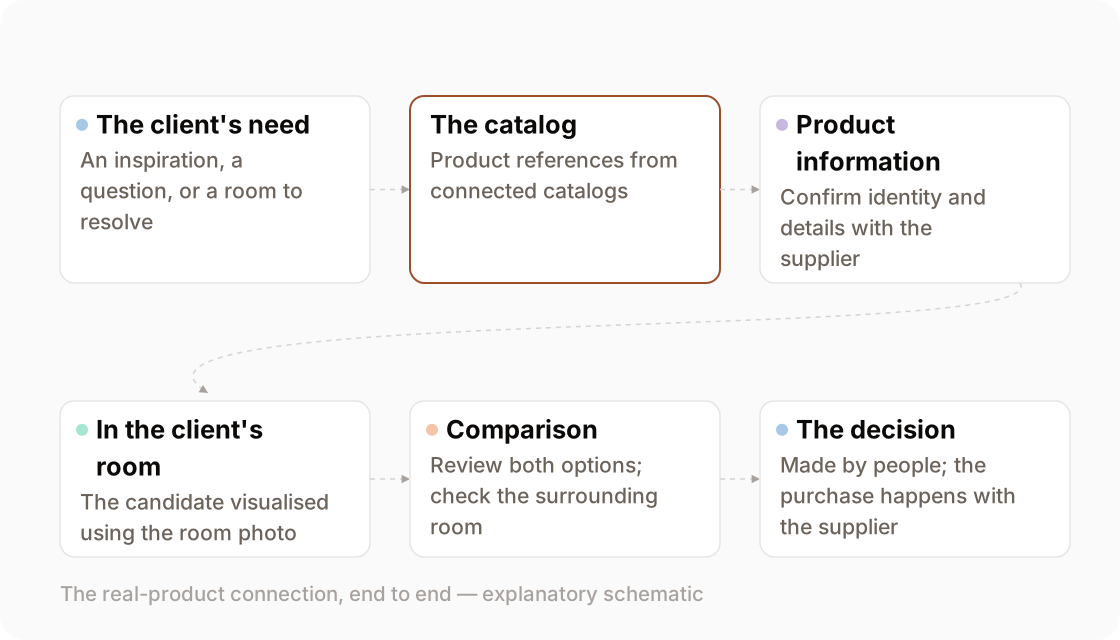
Schematic linking customer needs, catalog references, visual comparison and supplier purchase
A guide from product references to reviewed comparison.
the customer question

“How could this work with the rest of my room?”

A customer may like a sample but still need help picturing it beside the room’s other finishes.

Use the comparison to explore that question, rather than assume that a visual alone will settle the sale. Ask what the customer is weighing up and which features of the room need to stay. Budget, availability and technical suitability may need separate answers.

prepare and review

Prepare a product comparison

Bring the room photo and identified product references. The illustration explains the comparison; it is not a verified run on customer material.
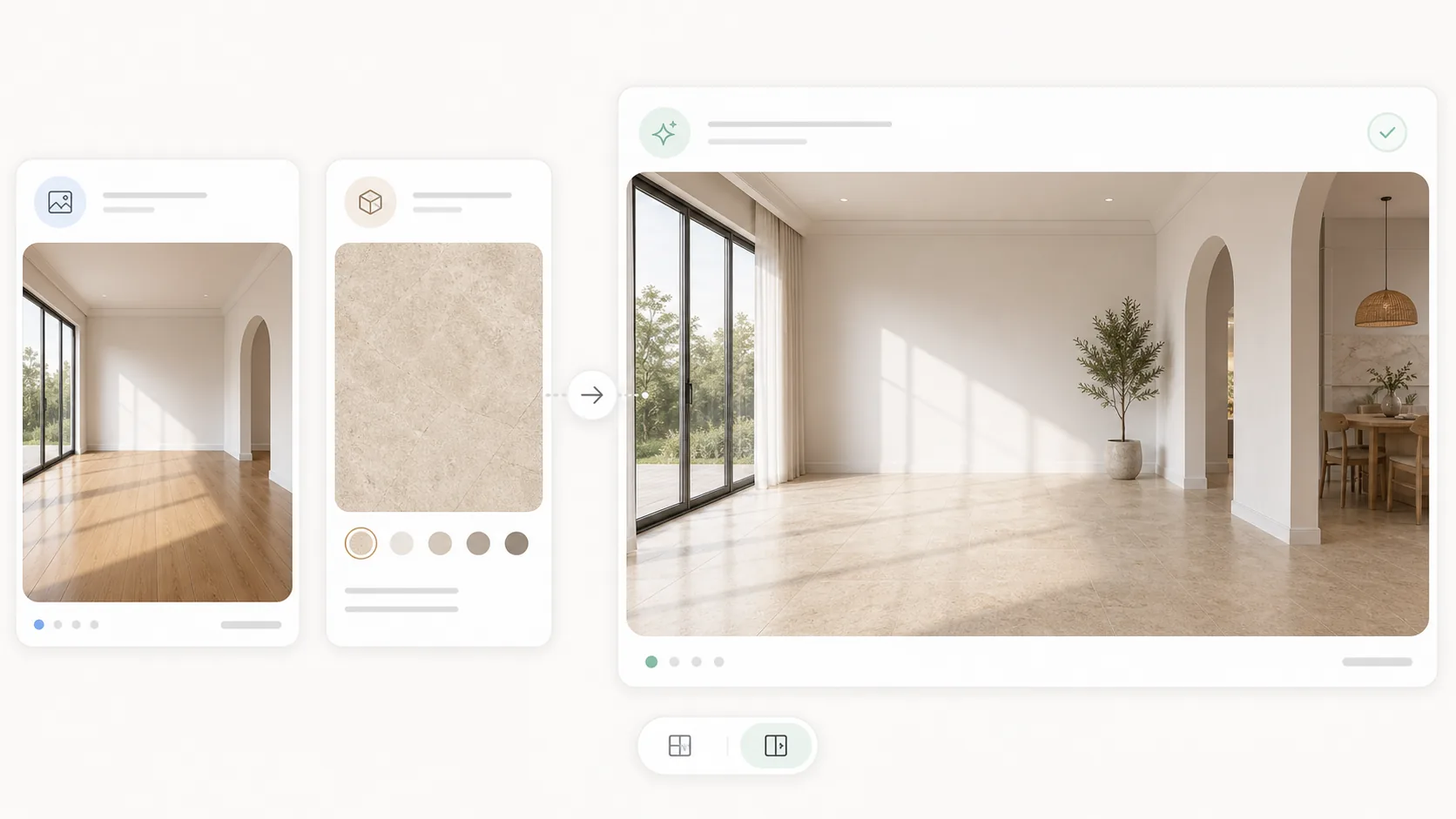
Illustration of a room photo, surface reference and possible room treatment
Illustration of a room photo, surface reference and possible room treatment. A verified worked input/output pair is not published yet.
  • A photo of the room, with the features you want to retain identified.
  • Identified product references; assess connected catalog candidates first if you only have inspiration.
The visual task
Develop a room visual using the product reference to help compare a direction.
What it is good enough for
Good enough to show a client, decide a direction, and choose between options; not accurate enough to approve a finish, match a colour, or build from.
Prepare and check
Check the room and product appearance against the references; confirm dimensions and availability with the supplier.
Before supplying material
Review the Privacy Policy and Terms of Service linked in the footer, and confirm the handling requirements of your project.
Supported inputs
Pending — Contact us before preparing files for a demo. Supported formats and size limits still need confirmation.
Access and cost
Pending — Review Pricing, then contact us to confirm access and any charges for the task you want to try.
identified product references

Assess products behind the inspiration.

If the customer has inspiration rather than a product reference, assess candidates from the catalogs connected to the workspace.

See visual search and its limits

Compare the candidate’s product record with the customer’s priorities. A search result is not a verified equivalent or a guarantee that the product is available. Confirm specification, stock and lead time with the supplier; purchasing happens outside Studio.

the room context

In the client's room

The room photo provides context for discussing a possible product treatment.

Check whether the surrounding layout and features remain useful for comparison. The render may alter geometry, lighting, texture or pattern; it does not verify the product’s actual size, shade or installation. Keep the source photo and product reference beside the option you discuss.

the mechanism

Choose the specialist for the material

Choose the specialist for the product category, then review the visual against the source.

Tile surface.

Explore a tile option in the context of the surrounding interior.

Input
the customer's room photo and a tile reference
Output
a tile direction to check with samples and specifications

What this specialist does

Quartz surface.

Explore how a stone reference could look on an island or other surface.

Input
the customer's kitchen or bath photo and a slab reference
Output
a stone-surface option to compare with the actual slab

What this specialist does

Flooring.

Explore how a flooring reference could look across a room.

Input
the customer's room, a flooring reference and a laying pattern
Output
a flooring direction to compare with the product reference

What this specialist does

Paint.

Explore a paint direction alongside the room’s other finishes.

Input
the customer's room photo and a colour reference
Output
a colour direction to check with physical samples

What this specialist does

Panel and cabinet.

Explore how a panel finish could look across cabinetry or a wall.

Input
a room or interior scene and a panel reference
Output
a cabinetry or wall-finish option to discuss

What this specialist does

Furnishing package.

See how a group of furnishings could work together in the room.

Input
a photo of the room and a furnishing package
Output
a furnishing direction to check against product dimensions

What this specialist does

the decision mechanism

Make the comparison useful.

Aim to compare the product choice while keeping the surrounding context comparable. Check both options for unintended differences before presenting them.
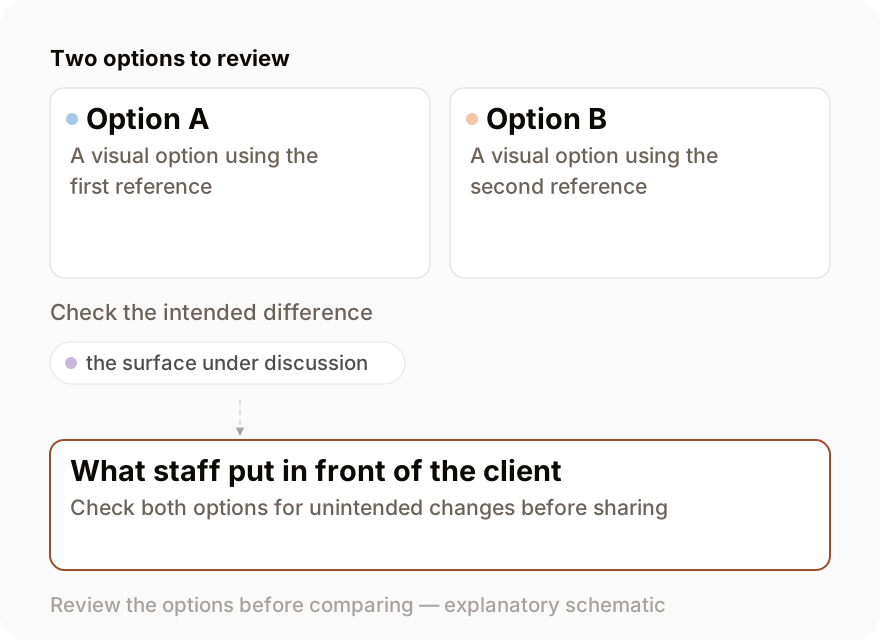
Schematic of two reviewed options and the checks needed before a product comparison
A guide to reviewing two options. A verified controlled comparison is not published yet.
fit, paired

Use the visual alongside the physical checks.

Review pricing and access details

Use physical samples for colour and finish, product documentation for dimensions and performance, and appropriate site or technical review for installation. Keep those checks distinct from the visual shortlist and make any unresolved questions clear in your recommendation.